Tell us who fits.
Share your business and ideal customer. Start with a free preview of the messages our AI would send your prospects.
Managed LinkedIn outreach
Your ideal customers. A dedicated machine for every profile. AI that does the daily work. Tell us who you want to reach. We take it from there.
No card needed. Tell us who you sell to and we will show you the messages our AI would send your prospects. Add a mobile number and a line about your business and your first preview is written straight away. We may call you to help set things up.
Every profile has its own physical machine and its own residential IP address.
Our own fleet, counted over the last 24 hours. Machine names, account names and IP addresses are not shown.
Sample preview
One exchange, start to finish, with no account needed. Ledgerwick sells accounting software to small manufacturers. The AI is writing to a finance director at one.
Hi Odalys, I saw Brindlemoor added a second shift on the casting line this spring. Month-end close tends to get harder after that. Did the finance side keep up, or is it still a few days of chasing figures?
It got harder, yes. The stock counts from the second shift come in late, so close slips by about two days.
Two days is a long time to wait on counts. Do the second-shift numbers go into a spreadsheet first, or straight into the ledger?
Sample preview. Names and companies are invented.
Your real preview uses your business and your buyers.
Get a free previewFrom your brief to your next conversation
Tell us who you want to reach and we do the rest. An AI works each profile day by day, finding people who fit your ideal customer, viewing their profiles, engaging with their posts and sending connection requests. Every profile runs on its own physical Windows machine and residential IP in our office, and the accepted connections and replies come to you.
Share your business and ideal customer. Start with a free preview of the messages our AI would send your prospects.
A dedicated machine, its own residential connection, and AI that plans each profile’s day. We prepare and operate the setup.
Accepted connections and replies come to you. Follow the activity and results in your dashboard while we run the outreach.
Why it works
An IP address is only one part of the setup. On cloud platforms, thousands of profiles share the same servers, the same browser build and the same code, with a separate IP in front of each one. We give every profile a whole machine of its own.
Results
Measured across the fleet we run for our own sales.
36% accepted overall, with 4,112 still pending. Among 3,585 invitations older than 14 days, 43% were accepted.
37,181 completed actions across 61 profiles in the last 7 days. The nine most common actions are shown.
Our office
Most tools in this category run thousands of LinkedIn accounts through shared data-centre proxies with one browser fingerprint. We run ordinary Windows desktops in our own office, one machine per profile, each on its own residential line. These photos are of that office.
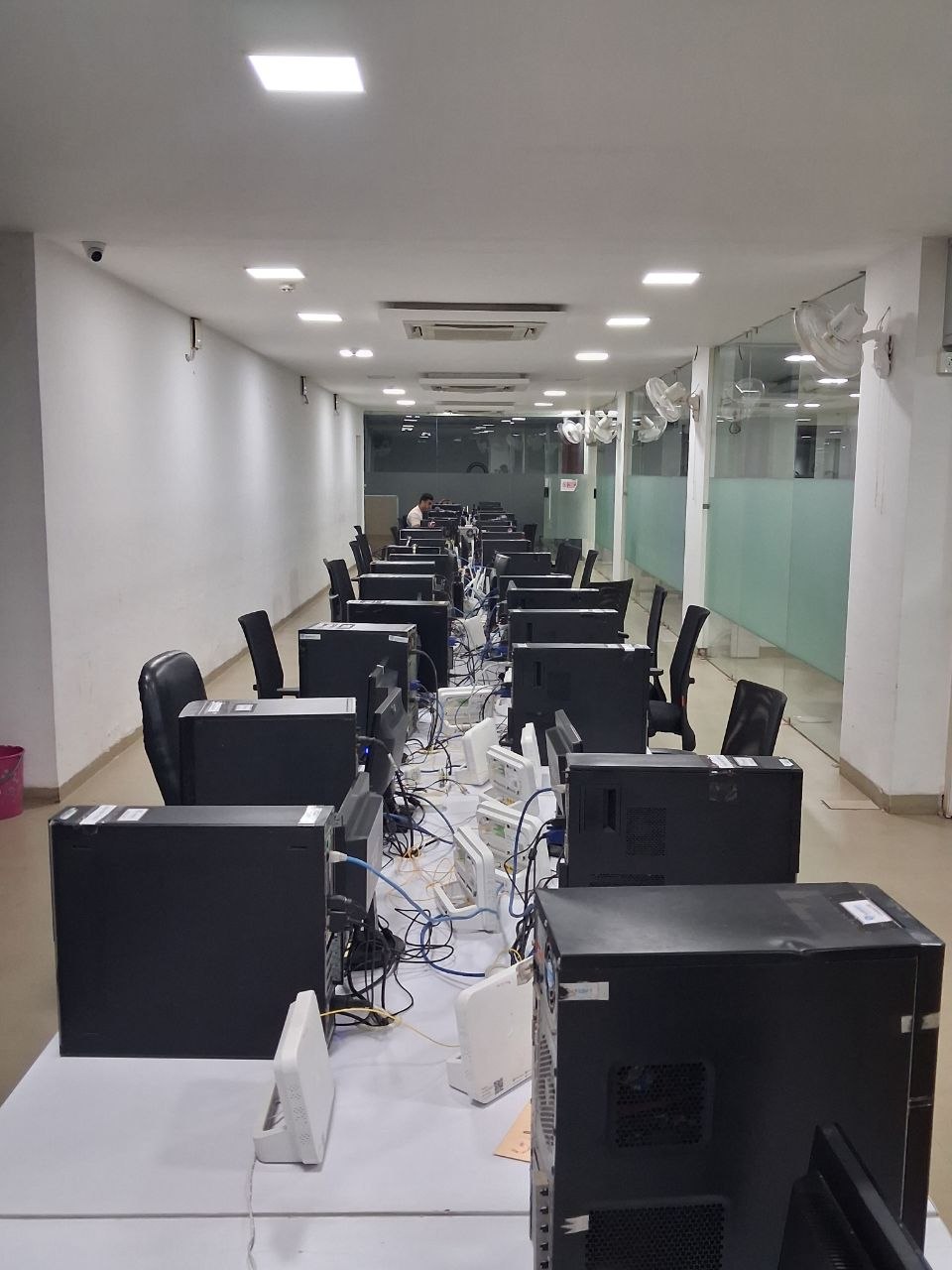
Those are four separate numbers. 76 dedicated machines are on this floor’s network; 72 of them carry a LinkedIn profile; 63 of those profiles are live today, and 58 completed work in the last 24 hours, such as viewing profiles, following activity and sending invitations. The other 5 did nothing today: most are new profiles that only find prospects and contact nobody yet, and a few are paused while we sort out an account issue. The 9 machines that carry a profile but are not live are between accounts. The remaining machines are built and waiting for their accounts.
The building has about 3,000 desktops and we put one profile on each machine, so taking on more profiles means setting up hardware we already own. Every fleet number on this page was measured on the date at the bottom of the page.
Our own office. It is a working floor, so most of the computers you can see are our team’s everyday desktops. 76 of them are dedicated to the LinkedIn fleet, and 63 of those were running a profile today. Around 3,000 desktops sit in this building, and at one profile per machine that is how far we can grow before we need another floor. We would rather show you the real numbers (63 running, 76 built, about 3,000 available) than a staged data centre.
A look at the physical setup behind your outreach, filmed in our office.
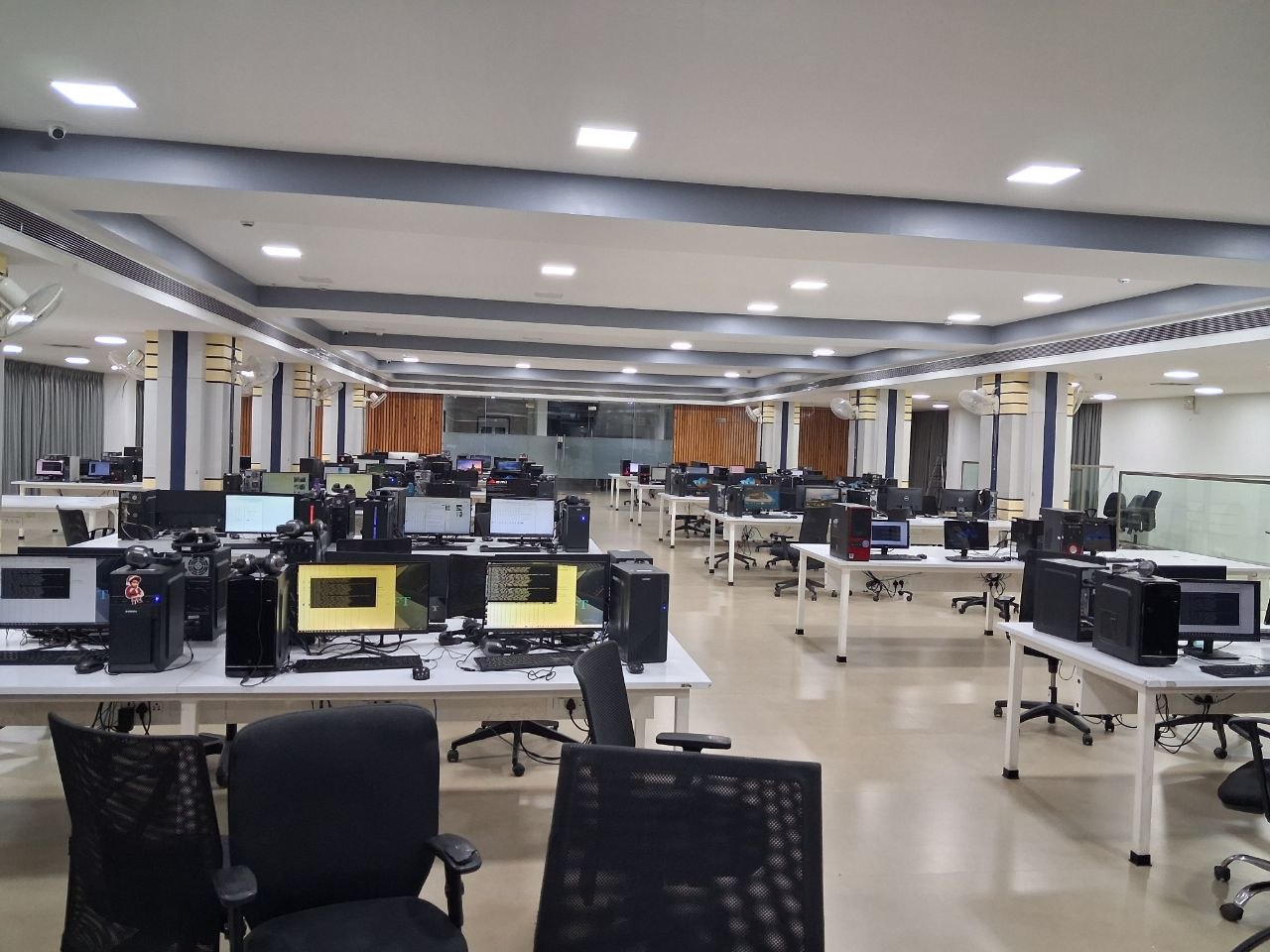
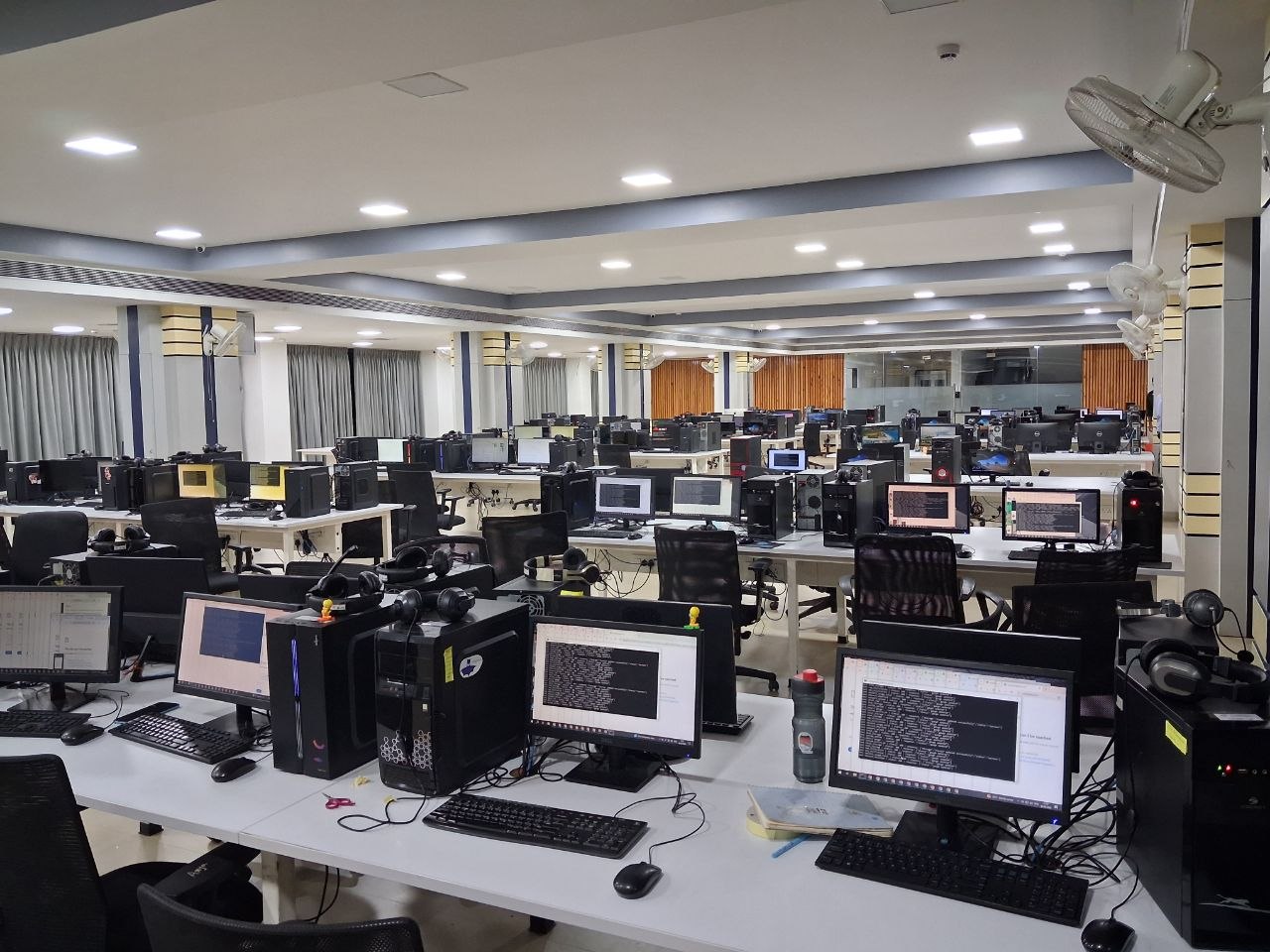
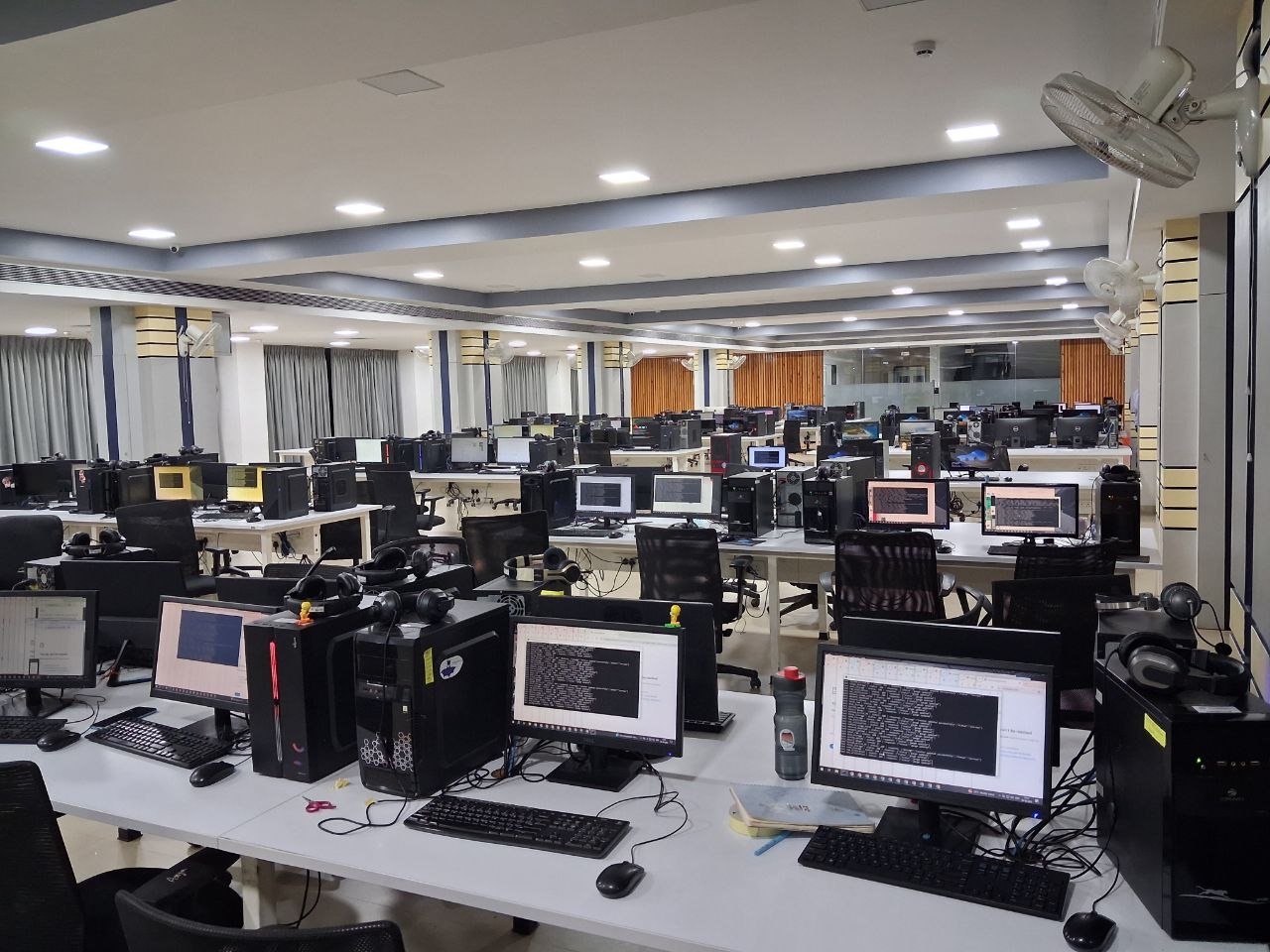
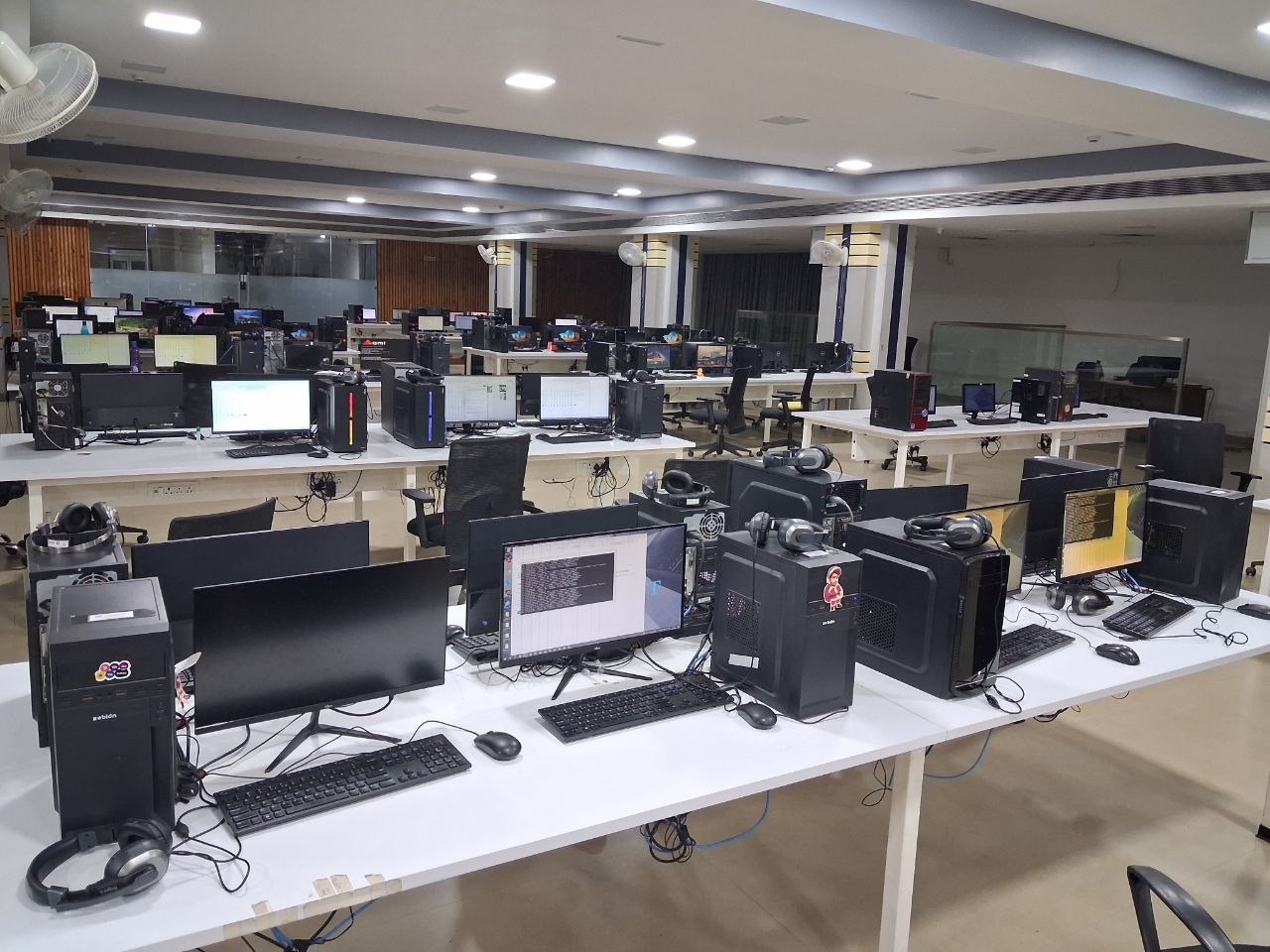
Our working office, with dedicated fleet machines alongside our team's everyday workstations.
Pricing
No seat licences or platform fee. You only pay for working profiles: signed in, warmed up and producing.
A dedicated setup. Operated for you.
Monthly rollingFor teams ready to run more profiles.
Founding clients: 10+ profilesPay by card and we start building. You will need an account first, the same one you use for the free preview.
The same system. Our own outreach runs on the machines and AI we offer you.
Real fleet figures. Measured in our production systems, dated below. See our LinkedIn page.
Clear expectations. Restrictions can happen; we replace restricted accounts at our cost.
FAQ
Each profile gets a physical Windows computer, its own browser and a residential connection. Cloud tools typically share computing infrastructure. We prepare and operate the dedicated setup for you.
There is no fixed quota. The AI adjusts each profile's pace using account age, acceptance rates and LinkedIn feedback. Most activity is browsing and engagement.
Restrictions can still happen. We use dedicated hardware and cautious pacing to reduce exposure. Accounts under identity review are left alone; restricted accounts are replaced at our cost.
Yes. LinkedIn prohibits automation in its User Agreement. Dedicated hardware and cautious pacing reduce exposure, but do not make automation permitted by LinkedIn.
The AI chooses whose profile to view, which posts to engage with, when to connect and when to stop. It also writes messages and replies using the prospect's context.
Accepted connections and replies, routed to your inbox or CRM, plus weekly reporting per profile. We operate the outreach; you can follow the results in the dashboard.